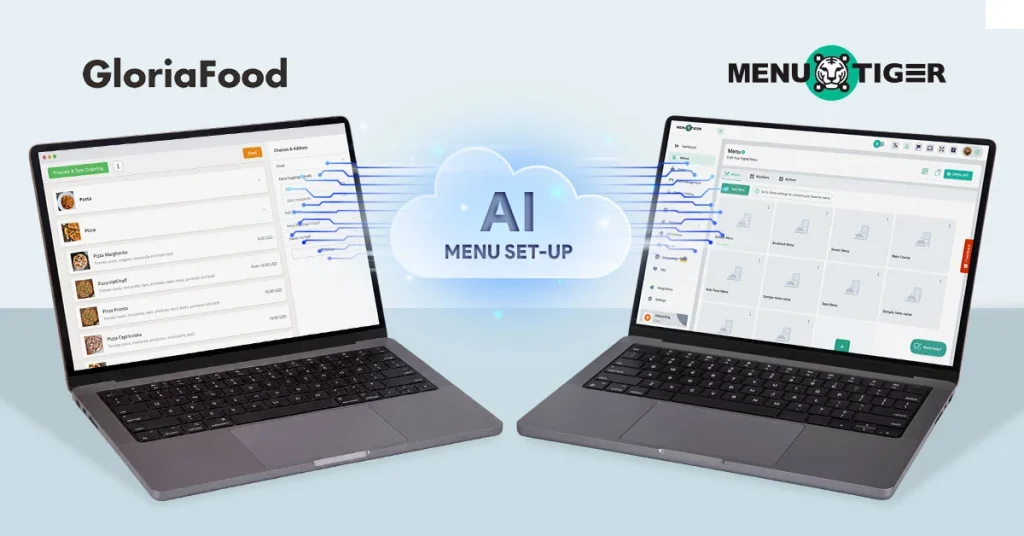
GloriaFood is confirmed to shut down on April 30, 2027, so waiting until the last minute creates unnecessary risk.
The biggest challenge in migration, however, is often rebuilding menus from scratch, re-entering items, updating prices, and reorganizing categories.
MENU TIGER simplifies this process with AI-powered menu setup. By uploading existing menu images or PDF files, restaurants can quickly generate a structured digital menu, reducing manual work and helping maintain uninterrupted operations during the transition.
What you need before using the AI menu setup
Before uploading anything, it helps to ensure your source menu is clean and up to date. The AI menu maker performs best when the file is readable, organized, and free of formatting issues.
| What the AI struggles with | What the AI loves |
| Heavy cursive, script, or highly stylized fonts | Clean, standard serif or sans-serif fonts |
| Overcrowded pages with overlapping text or graphics | Generous spacing and clear margins between items |
| Blurry smartphone photos taken in dim restaurant lighting | Crisp PDF exports or flat, well-lit scans |
| Inconsistent pricing layouts (e.g., scattered across the page) | Prices cleanly aligned next to item names or descriptions |
From well-prepared files, the AI system can usually extract:
- Categories.
- Item names and portion sizes.
- Descriptions.
- Prices
Poor-quality menus can create extra editing work if text is crowded, images overlap, or categories are inconsistent.
The better the source file, the less cleanup you will need later.

How to migrate from GloriaFood to MENU TIGER in 7 simple steps
1. Create your MENU TIGER account
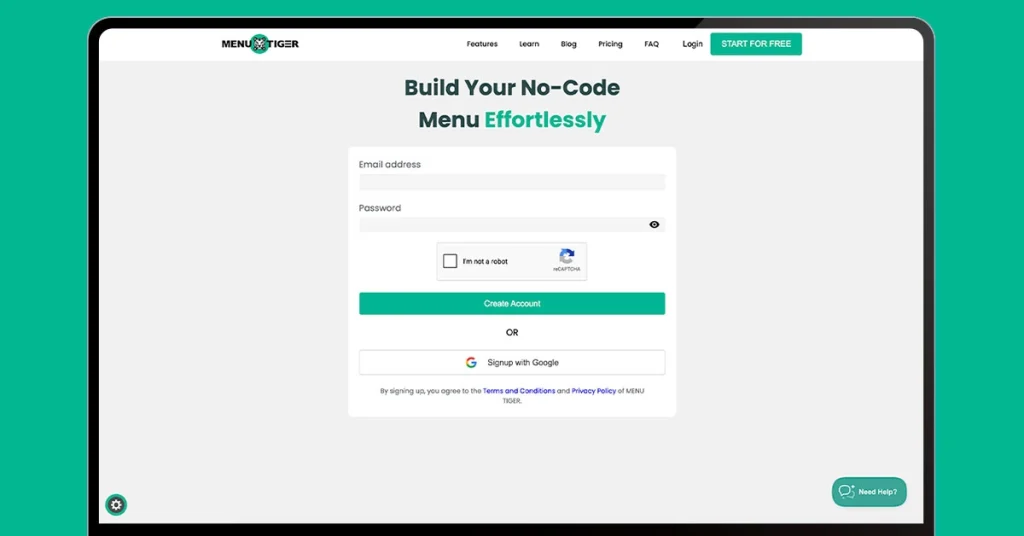
Sign up using your Google account or email address and log in to your MENU TIGER dashboard.
2. Open the Menu section
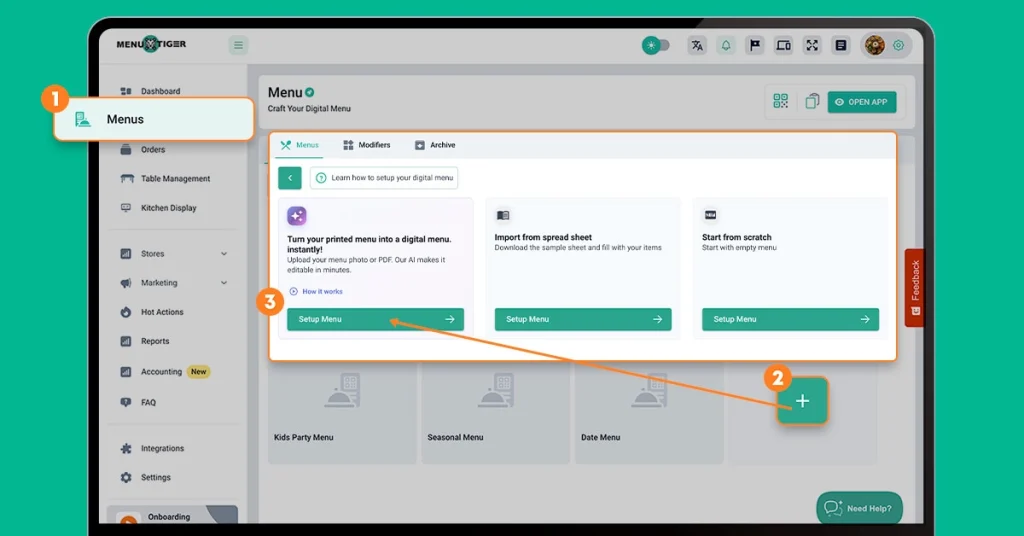
From the dashboard:
- Open the Menu section
- Access the main Menu page
- Click + Card
- Select Set Up Menu
3. Upload your existing menu
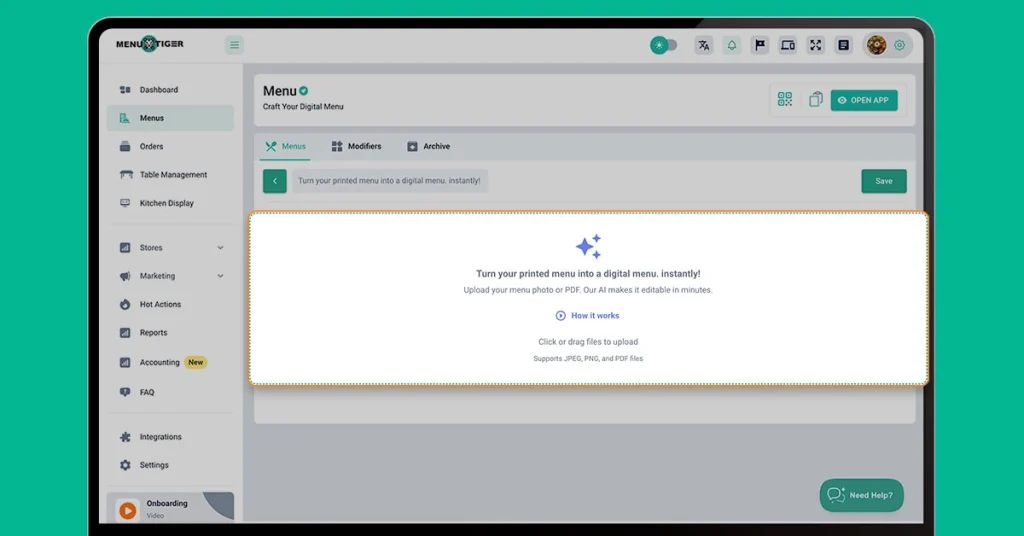
Click inside the upload area to open the file explorer and select your menu files.
Upload one or more of the following file formats:
- JPEG images
- PNG images
- PDF files
For best results, upload clear and properly formatted files.
4. Let AI generate your digital menu
Once uploaded, MENU TIGER will process the files and generate a digital version of your menu.
The AI organizes menu categories, items, descriptions, and pricing based on the uploaded content.
5. Review and edit the generated menu
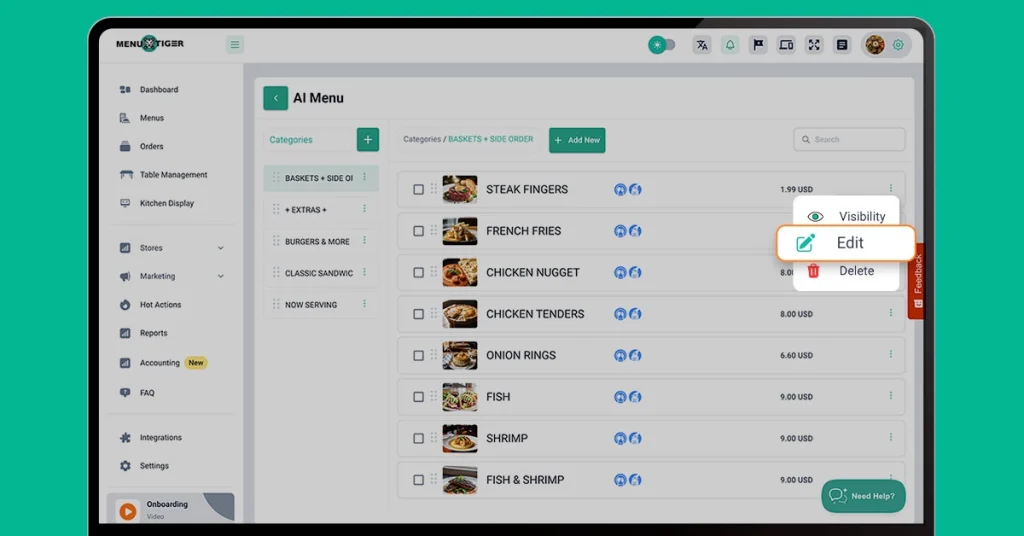
After processing is complete:
- Verify item names and categories
- Review descriptions and pricing
- Edit any incorrect or missing information
- Add additional menu details if needed
This review step helps ensure your digital menu matches your existing restaurant operations.
6. Create your store and connect your menu
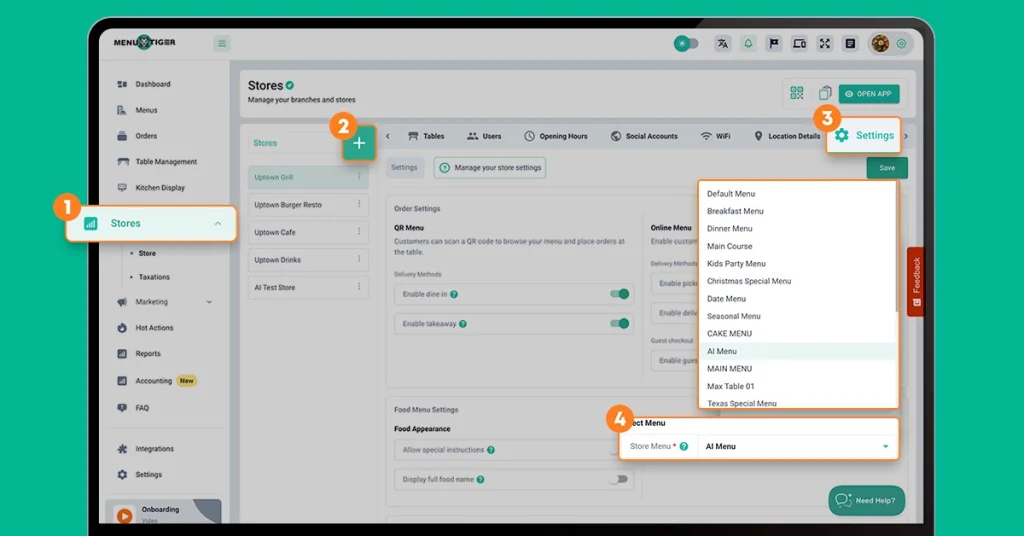
Open the Store section and configure your restaurant details.
To complete setup:
- Click the + button
- Enter your store information
- Save your configuration
To connect your menu to a store:
- Go to Settings → Store Menu
- Select your imported menu
Note:
If your restaurant uses a compatible POS, this is also the ideal time to configure your POS integration so orders and menu updates can sync between your restaurant ordering system and point-of-sale software before going live.
7. Set up QR ordering
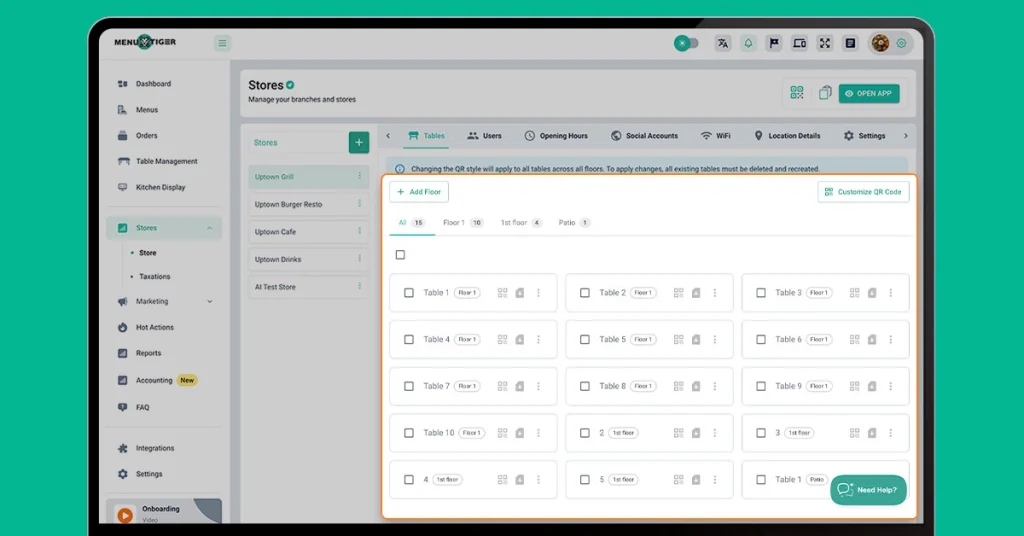
Complete the migration by setting up your QR code menu
Steps:
- Open Tables
- Add floors and table numbers
- Generate and download QR codes
Once complete, your restaurant is ready to begin receiving orders through MENU TIGER’s Contactless ordering.
Why restaurants explore MENU TIGER for migration
GloriaFood vs MENU TIGER support common online ordering workflows.
MENU TIGER extends these capabilities with additional tools designed to centralize operations and simplify setup, making it a competitive GloriaFood alternative.
1. AI-powered menu migration
Rebuilding large menus manually can take time and increase the risk of errors.
Artificial intelligence-assisted imports help restaurants digitize existing menus by extracting content directly from images and PDF files.
2. Familiar ordering experience
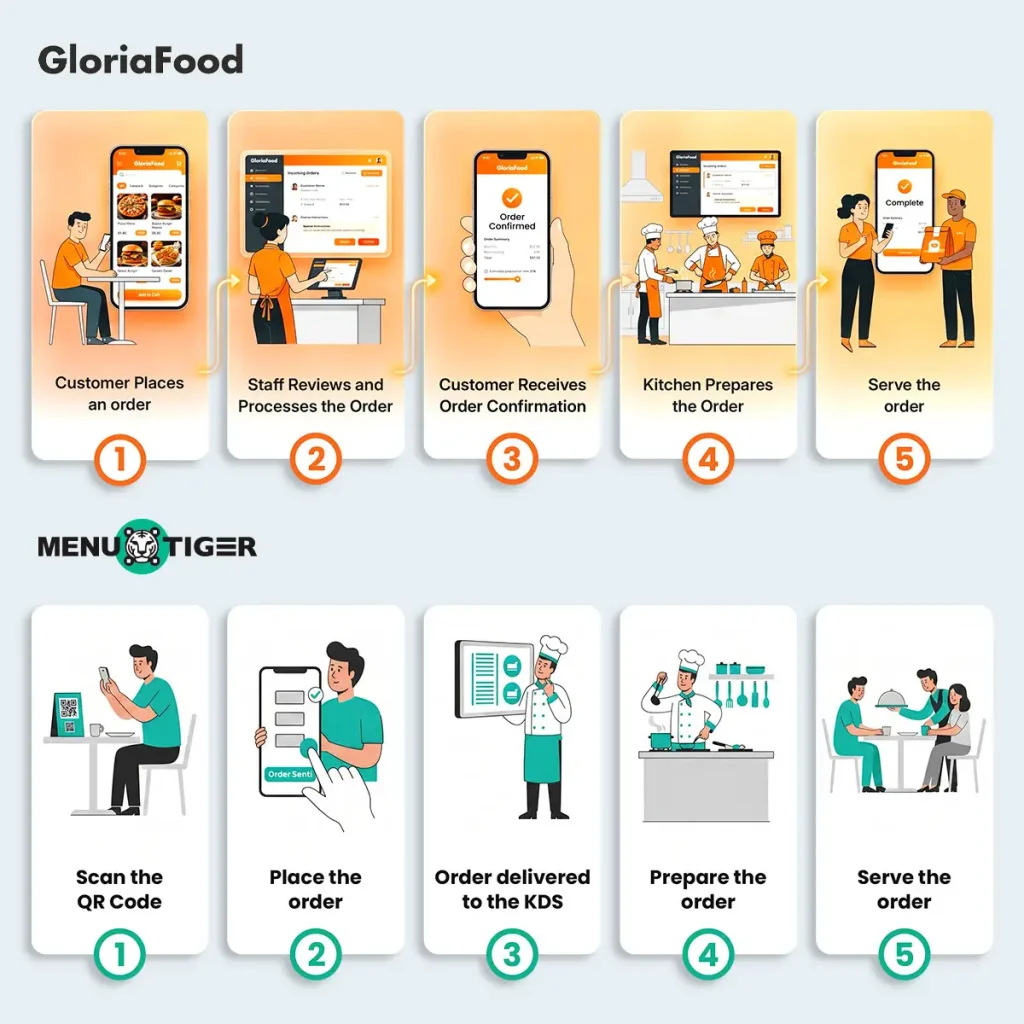
Since many ordering flows remain familiar, staff and customers can adapt more quickly after migration.
This can reduce training time and help maintain day-to-day operations.
Pro Tip: Run a short staff and customer survey before migrating to understand which ordering habits and workflows matter most to your team and customers.
3. Centralized menu management
Managing menus across multiple channels can become difficult over time.
A centralized menu management dashboard helps restaurants maintain consistency and reduce repetitive updates.
4. Flexible pricing options
Restaurants often need solutions that fit different stages of growth.
Commission-free online ordering and flexible pricing plans allow businesses to adopt digital tools without immediately committing to enterprise-level investments.
5. Built to support growth
Whether operating a single location or managing multiple branches, restaurants benefit from restaurant management software that can adapt to changing order volumes and operational needs.
MENU TIGER is designed to support evolving workflows as restaurants scale.
Don’t wait until 2027— Start planning your migration early
Migrating from GloriaFood to MENU TIGER does not have to mean rebuilding everything manually.
With AI menu setup, restaurants can turn existing menu files into a structured digital menu, review it quickly, and launch with less disruption.
The earlier you prepare your files and begin setup, the smoother the transition will be for both staff and customers.