
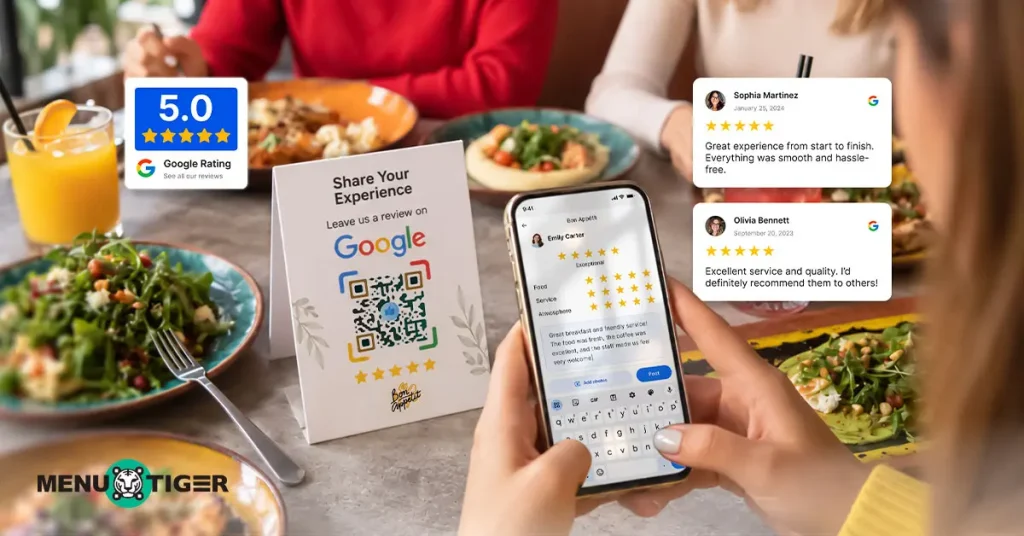
94% of U.S. diners say online reviews influence where they choose to eat, according to Small Business Trends (2025).
But most diners won’t leave a review unless asked.
Review management platforms like ReviewCook, Birdeye, Podium, ReviewTrackers, and NiceJob exist to close this gap, each taking a different approach.
TL;DR: Quick Summary
| Platform | Best for | Starting price (2026) | Key features | Setup effort |
| ReviewCook | Restaurants focused on Google review collection and management | Free forever; paid plans from $8/month | QR codes, review collection, voice & text feedback, AI replies, approval workflows, analytics, sentiment trends | Low |
| Birdeye | Multi-location brands managing reviews across many channels | Custom pricing | Review generation, AI responses, 200+ review-site monitoring, reputation analytics, sentiment insights, competitor insights | Higher |
| Podium | Businesses using SMS for reviews and customer communication | Custom pricing | Review invitations, AI responses, SMS, messaging, webchat, CRM, payments | Moderate |
| ReviewTrackers | Businesses needing review monitoring, reporting, sentiment analysis, and benchmarking | Custom pricing | Review monitoring, collection, alerts, sentiment analysis, reporting, competitor insights, multi-location management | Moderate |
| NiceJob | Small businesses automating review requests and reputation marketing | $75/month; Pro $125/month | Review requests, follow-ups, monitoring, AI replies, social proof, analytics, referrals | Moderate |
Whatever you choose, pair it with a plan for handling and responding to negative reviews when they land, and treat your review volume as part of a broader restaurant local SEO strategy rather than a standalone metric.

What is a review management platform?
A review management platform helps businesses request, collect, monitor, and respond to customer reviews — the operational side of online reputation management.
Some platforms bring reviews from sites such as Google, Yelp, Facebook, and Tripadvisor into one dashboard, giving you multi-platform review management instead of five separate apps to check.
Common features include:
- Sending review requests through links, QR codes, text, or email
- Monitoring reviews from multiple platforms
- Responding to reviews from one dashboard
- Tracking ratings, sentiment, and recurring themes
- Displaying selected reviews on websites or marketing materials
This tool also serves as a restaurant marketing tool by helping you showcase positive reviews, build social proof, and strengthen your online presence.
Review management vs. feedback management
Review management focuses on collecting and managing public reviews to build an online reputation. A feedback management collects private customer feedback to understand experiences, identify problems, and improve operations.
Feedback can be collected through:
- Google Forms
- Standalone feedback management platforms
- Website or digital menu feedback forms
- In-app survey forms in a restaurant management system
Unlike review management platforms, these tools typically do not automatically send feedback to public review platforms such as Google or Yelp.
Instead, the feedback stays within the system, where businesses can choose to keep it private or display selected feedback publicly on their website.
| One important caveat: Collecting private feedback is fine, but using it to decide who receives the public review link is not. Google and the FTC discourage selectively soliciting positive reviews. Keep both flows separate: give everyone the same public review opportunity, while using private feedback to identify problems and improve operations. |
5 platforms that help restaurants get more reviews
Disclaimer: All claims are based on available product documentation, firsthand experience, and publicly available information. Pricing was verified in September 2026 and changes often — check the vendor before you buy.
1. ReviewCook
ReviewCook is a QR-code-based and AI-assisted review management platform built for restaurants and other local businesses that want to make it easier for customers to leave Google reviews and help businesses manage their responses.
Here’s how it actually works:
- Customers scan a branded QR code and share how their visit went.
- They share their experience through voice or text.
- AI cleans up the transcription and punctuation and turns their feedback into a polished draft.
- Customers edit and approve the draft before they submit it to Google.
- Restaurants monitor review insights and use AI to draft and customize replies.
Note: ReviewCook says it does not suggest a star rating or specific talking points, which matters because Google’s review policies prohibit steering customers toward specific ratings or wording.
Recommend it if:
You’re a single-location or small restaurant chain restaurant that mainly cares about getting more Google reviews and wants something you can set up today without a sales call or staff training.
The free tier is genuinely usable, not a bait-and-switch trial.
Consider another option if:
If you manage a large restaurant business with many locations, different teams, and complex reporting needs, you may prefer a platform built for enterprise-level operations.
Pricing
Pricing displayed is as of September 2026.
| Plan | Monthly | Annually (15% off) |
| Freemium | $0 | $0 |
| Starter Stand | $8 | $6.80 |
| Growth Booster | $18 | $15.30 |
| Multi Store Pro | $32 | $27.20 |
2. BirdEye
Birdeye is a multi-platform review management — reviews are one module inside a suite that also covers messaging, listings, surveys, and social.
How it works:
- Add customer contact information.
- Send review requests by email or text — manually, in bulk, or automated through CRM integrations, SFTP, APIs, or campaigns.
- Customers receive the request and leave a review on a supported platform.
- Businesses manage and monitor reviews through the Birdeye dashboard.
Recommend it if:
You’re managing reputation across dozens or hundreds of locations and reviews are just one piece of a larger customer-experience stack you’re already buying into.
Consider another option if:
You run one or two restaurants. You’ll be paying enterprise pricing for listings, surveys, and social tools you’ll never touch, and you’ll spend real time in a sales cycle just to get a number.
Pricing
No public pricing — fully custom, quoted based on business size and location count.
3. Podium
Podium bundles review management into a broader “AI employee” for customer communication — SMS, webchat, and review requests all live in one inbox.
How it works:
- Podium texts a review request.
- It sends an automated reminder if there’s no response.
- It gives the customer a choice of review sites to post to.
- The business manages reviews and messages from one inbox.
Recommend it if:
You’re already using or planning to use SMS as your main customer-communication channel and want reviews folded into that same workflow.
Consider another option if:
You only want reviews. Podium’s messaging and marketing tools add real cost and complexity for a restaurant that just wants more stars on Google.
Pricing
Tiered (Core, Pro, Signature), but exact cost requires a sales quote.
4. ReviewTrackers
ReviewTrackers leans into reporting and analysis more than any tool on this list — sentiment scoring, keyword/theme tracking, and multi-location comparisons.
How it works:
- Connect a CRM or contact list
- Send a branded review request by email, SMS, or QR code, and “Smart Suggest” then routes the customer to whichever site needs more reviews.
Reviews land in a dashboard pulling from 100+ sources, where you can tag, respond with AI-assisted replies, and pull sentiment/keyword reports.
Recommend it if:
You run multiple locations and want to see which one is slipping — by rating, by theme, by sentiment — rather than just collecting more reviews.
Consider another option if:
You’re a single-location restaurant that just wants a simple QR-to-Google flow. The reporting depth here is built for teams that will actually open the dashboard weekly; if no one on your team has time for that, you’re paying for a feature you won’t use.
Pricing
Tiered (Data-only, Starter, Essential), but exact cost requires a sales quote.
5. NiceJob
NiceJob automates review requests and turns the reviews it collects into marketing material — website widgets, social proof, referral triggers.
How it works
- Connect NiceJob to a job-management tool or contact list.
- When a job (or visit) is marked complete, it auto-sends a review request by SMS or email.
- Businesses can collect and display customer reviews as social proof and use them in marketing.
Recommend it if:
You want reviews to do double duty as marketing assets. NiceJob’s widgets, social proof notifications, and referral campaigns are the real differentiator — collection alone is cheaper elsewhere. It also fits well if you already use a booking or job-management tool NiceJob can connect to, since the request fires the moment a job closes and the experience is still fresh.
Consider another option if:
Most of your traffic is walk-in with no booking system behind it — NiceJob’s strongest automation triggers off a “job completed” event, which fits salons, contractors, and reservation-based dining more naturally than counter-service or high-turnover restaurants.
Pricing
Pricing displayed is as of September 2026.
| Plan | Monthly |
| Reviews | $75/month |
| Pro | $125/month |
How to actually choose the right review management platform
1. Start with what you’re actually trying to fix
If the problem is “we don’t have enough reviews,” a simple collection tool like ReviewCook or NiceJob can help you gather more customer feedback and support your restaurant local SEO efforts faster than a full reputation suite.
If the problem is “we have reviews everywhere and no idea what they’re telling us,” you want the reporting depth of ReviewTrackers or Birdeye instead.
2. Consider your size and number of locations
A single-location business can get by with a simple QR-based tool like ReviewCook, while a multi-location or franchise business benefits more from a platform like Birdeye or ReviewTrackers built for scale.
3. Think about how you currently collect customer contact information
If most of your customers are walk-ins with no CRM or reservation system, a QR-based flow (ReviewCook, NiceJob) works without any integration.
If you already run bookings or delivery through a system with contact data, Podium or NiceJob can trigger requests automatically instead of relying on a physical QR code being seen.
4. Consider whether you want more than just review collection
ReviewCook or ReviewTrackers cover the collection alone. NiceJob turns reviews into marketing and social proof. Podium or Birdeye bundle reviews with broader customer-communication tools.
Pro tip: Also look for a side feature that handles negative online reviews so you can protect your local SEO presence.
5. Think about your tolerance for setup work
ReviewCook can run the same day with no integrations, while BirdEye, NiceJob, Podium, and ReviewTrackers need a CRM or job-management system connected first.
Turn satisfied customers into your best promoters
If you run one restaurant and mainly want more Google reviews without a sales call, start with ReviewCook’s free plan — it costs nothing to test and the paid tiers are cheap enough that there’s little downside to trying it first.
If you’re managing several locations and need to see patterns across all of them, ReviewTrackers or Birdeye justify their higher price with reporting depth a single-location tool won’t give you.
Podium and NiceJob make the most sense when review requests can piggyback on a communication channel (SMS, job completion) you’re already using for other reasons — not when reviews are the only thing you’re buying the tool for.
Whichever review management platform you pick, the goal is the same: make it easy for happy customers to say so publicly.